
A pharmacy gave its address from a tree that had fallen nearly thirteen years before.
That tree was a fig in San Pedro, a district of San José, Costa Rica, and neighbors counted their blocks from the fig. Its low crown shaded a whole street corner, like the old Costa Rican fig in Figure 1. San Pedro’s fig worked like a pin on a map: one fixed point to count from. The fig had stood there for more than half a century. It fell on its own on May 12, 1991. The neighbors kept counting from the empty spot, the small triangle where the shade used to fall.
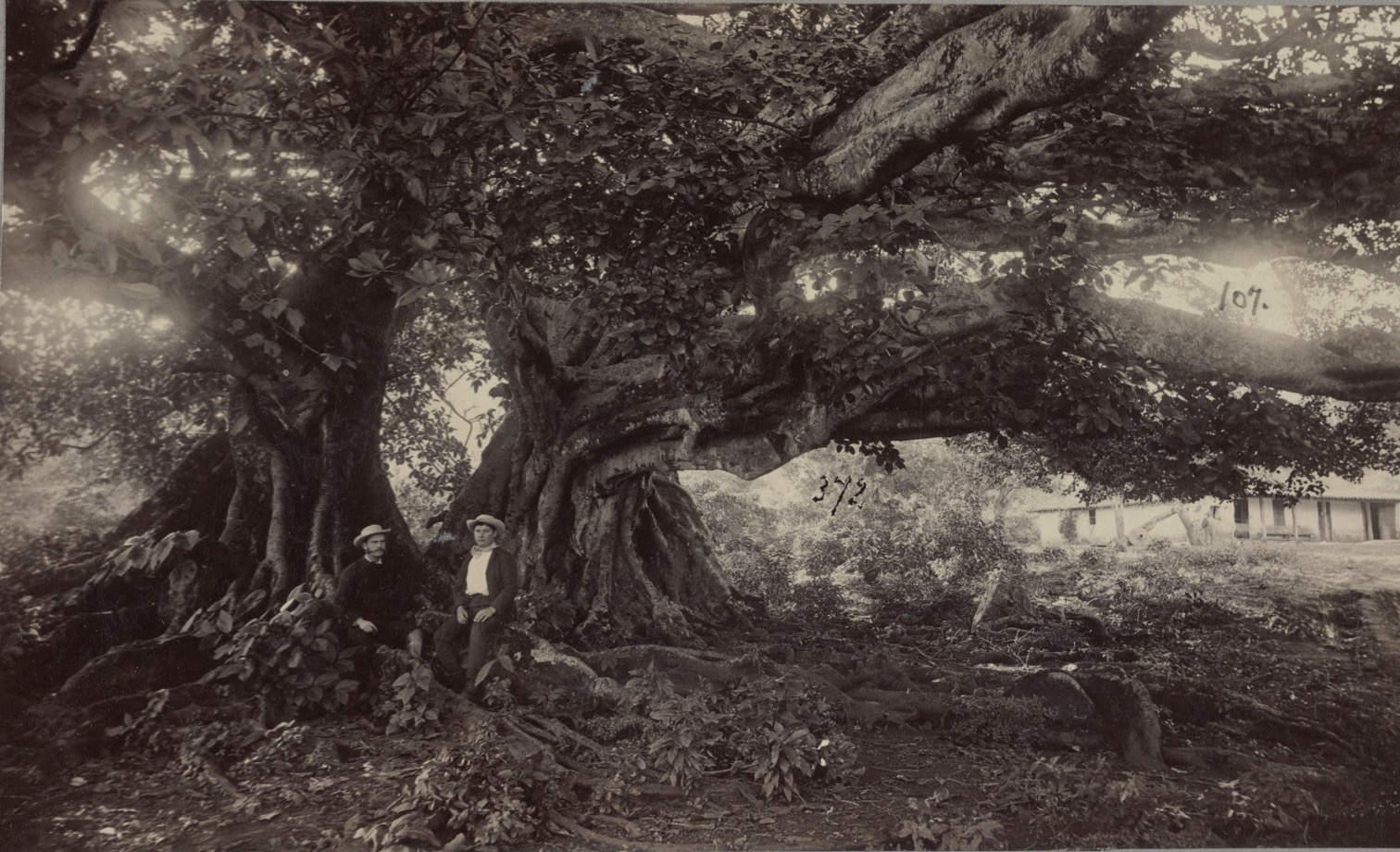
Figure 1. Another old Costa Rican fig, with two men sitting on its roots, between 1880 and 1900. Photographer unknown. Public domain, via the Library of Congress.
Directions in San Pedro are often given by landmarks instead of street numbers. People added one word, and for years afterward, addresses in San Pedro began from el antiguo higuerón, the old fig tree. In 2004, the newspaper La Nación still placed the pharmacy “on the east side of the old fig tree.” The paper called the spot a reference “even after it fell” for all the addresses around it. A visitor who had never seen the fig had to find someone who had.
Now picture a real pin on that spot instead (Figure 2). A pin is the marker a maps app drops where someone presses and holds, the way people save where they parked. It is two numbers, a latitude and a longitude, and it does not care what still stands there. Tap it a year later and the map leads back to the same patch of ground. The fig can fall, and a stranger still finds the spot.
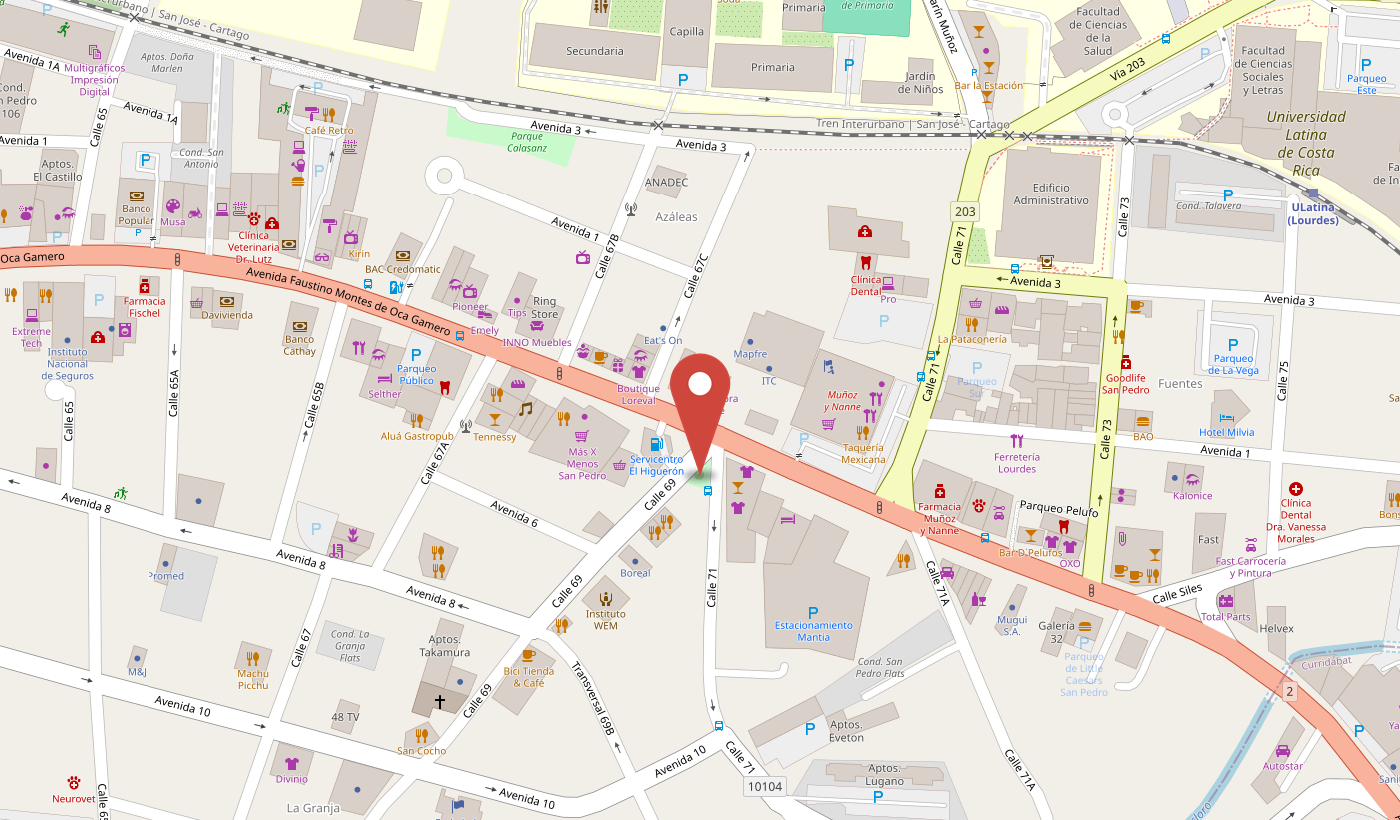
Figure 2. The same corner as a pin: 9.9308 N, 84.0466 W. The map still names the spot after the tree, down to the gas station beside it. Map data © OpenStreetMap contributors, ODbL.
Directions run a personal website too: the steps that turn writing into pages a stranger can read. Like San Pedro’s directions, they are only worth something if someone else, or the writer a year later, can follow them to the same place.
Say you keep one small thing online for other people: the family photo album, the book club’s schedule, a side business’s price list. You can rent a polished website builder for it, the way most people do. The builder is easy, but it costs every month, limits what you can change, and keeps your words on its own servers. Or you can build your own, which sounds cheaper and freer, and the machine that makes the pages sits out of sight. Then one Sunday evening, months later, you open the laptop to post and the pictures are gone: what changed, and where is the version that worked? The cousin checking for new photos sees blank boxes too. The evening ends with nothing posted.
This site could lose its pictures too. It is built with Hugo, a free website generator. In 2019, Hugo replaced the part of itself that reads the writing. Anyone who updated Hugo got the new part, knowingly or not. The new part also hid anything built by hand in raw HTML, the code a browser reads directly, unless one setting was switched on. The figures further down this page are raw HTML. On an updated Hugo, left as it came, those figures would disappear. The writing had not changed. The machine that builds the site moved while no one was looking.
That machine came to me from my husband. I am a statistician, not a software engineer, and when I started this site I had never heard of Nix or Hugo. He wrote the setup and left a short README, a page of instructions. I typed the commands he gave me and a finished website appeared. What he had handed me was working machinery. I could run it. I could not read it.
In my work, one rule holds: a result only counts if someone else can repeat the steps and end in the same place. I keep that rule at home. When I cook adobo, my husband’s favorite Filipino dish, I follow the recipe I wrote down. The pot he gets tonight tastes like the one he loved last month. A website I could not repeat was one I could not trust, so I studied it until I could read it.
What the Directions Count From
This site’s directions count from two tools, and every page passes through both before a visitor sees it.
The first is Hugo. Its own website calls it “one of the most popular open-source static site generators.” The plainest picture is an old letterpress. On a press like that, a printer built each page by hand. Each letter was a small metal block, lifted from a tray and set in a row (Figure 3). Thin slivers of lead held the lines apart. The whole block was locked into a frame, inked with a roller, and pressed to the sheet. Then the printer broke the block apart and set the next page, matching it to the one before by eye.
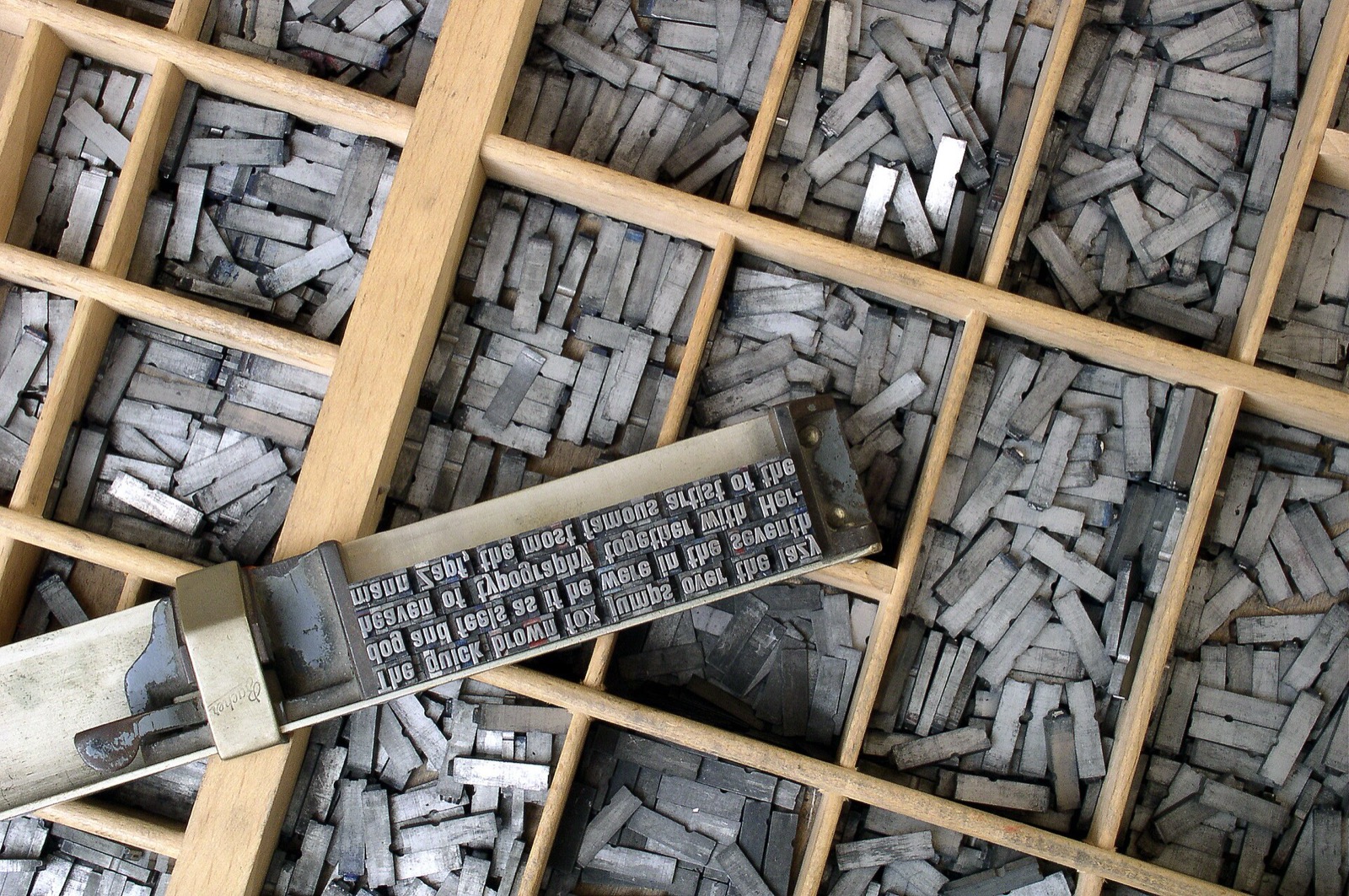
Figure 3. Type sorted in a case, and a few lines set by hand in a composing stick, every letter backward. Photo by Willi Heidelbach, 2004, CC BY 2.5, via Wikimedia Commons.
Hugo is that press with the hand-setting taken out. I type into a simple text file and mark a few things by hand, a heading here, a link there. Plain text marked up this way is called Markdown. Hugo sets the pages, locks them, inks them, and pulls them all out identical. I bring the words. Hugo brings the site, and hands my hours back to writing.
The second is Nix. Its own website calls it “a tool that takes a unique approach to package management.” A package manager is a program whose job is fetching the other programs a computer needs. Here, Nix keeps Hugo at one fixed version. Learning Nix costs the most effort, and that cost is paid once. My husband paid it for me, and his own blog has this setup as a guide anyone can follow. After that, Nix asks almost nothing.
Think of how a toolbox at home fills up: tools bought at different times, some upgraded unnoticed, and no record of which is which. Anyone reaching for a mallet grabs whichever one is nearest. Most package managers work like that toolbox, grabbing the newest version of each tool and leaving it on the machine to age. Nix refuses to. It keeps one written list that names every tool and the model of each, the way a workshop’s shadow board gives every tool its painted outline (Figure 4). Each time I start, Nix lays out a fresh bench stocked from that list and nothing else (nix develop). When I am done, it clears the bench away. Next year that list lays out an identical bench, down to the last tool (Figure 5).
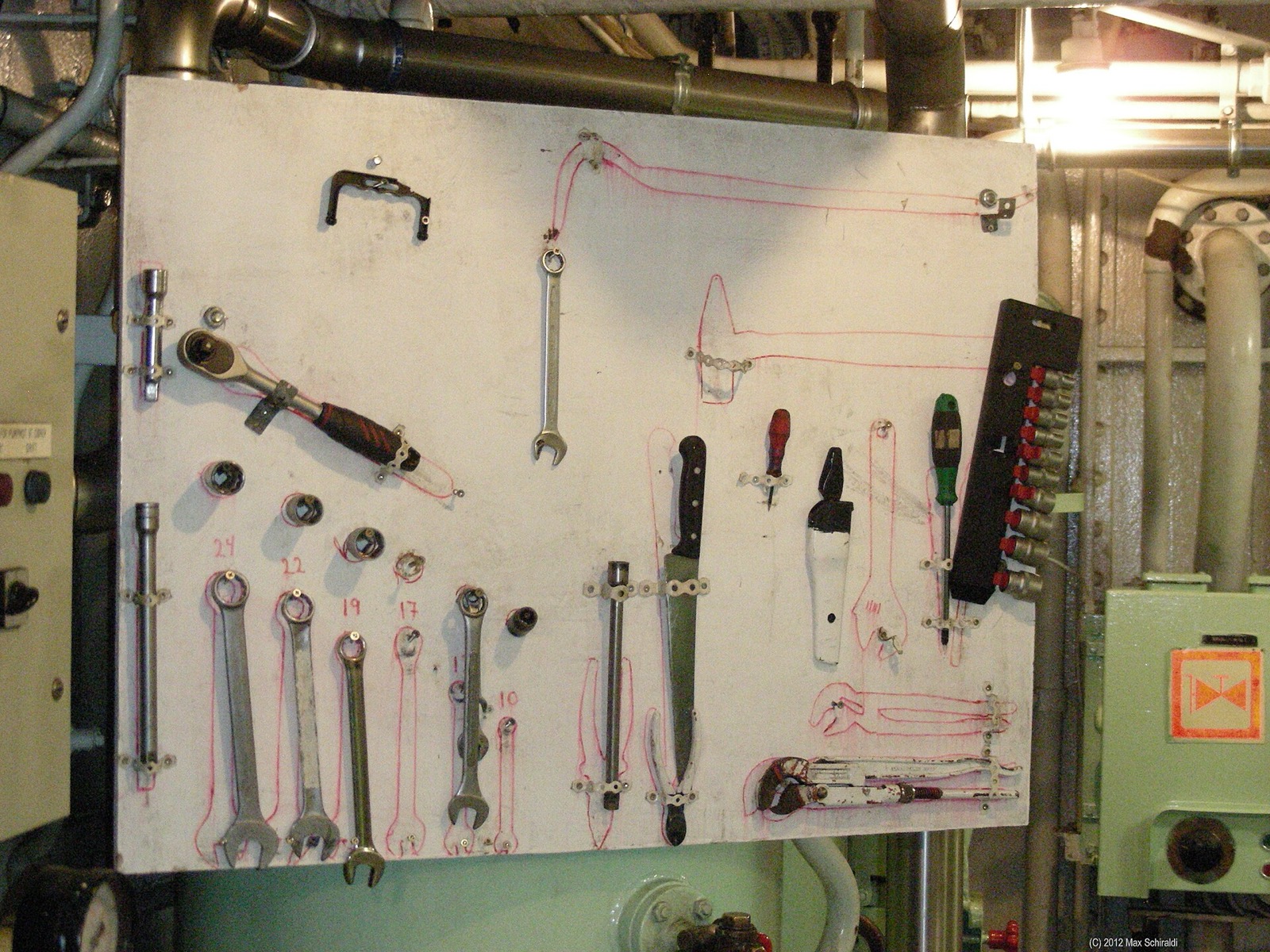
Figure 4. A shadow board in the engine room of an icebreaker, where an empty outline shows which tool is out. Photo by Max Schiraldi, 2012, CC BY-SA 4.0, via Wikimedia Commons.
Figure 5. Personal branding comes down to a website you own
One Site, Three Possible Ways
You wrote this
The words
A Markdown file you own.
You never see this
The machine that runs them
Hidden, and different in each lane.
A visitor sees this
The site
Identical the day you build it.
That machine in the middle is where the three part ways. Two questions run down every stage: is it in your hands, and will it hold?
Renting is the easy path, and for most people the right one: least to set up, nothing to maintain. The rows above are what that ease costs.
A pin is a fixed point you can always return to. Only the third lane puts any down, and it puts down three: one on the tools, one on the edit history, one on what is live.
Drawn for this piece.
Open the site’s folder and Nix’s written list is there, a real file named flake.lock. It lists every tool the site needs, each one beside a long string of letters and numbers that looks like nonsense. That string is the label on one particular mallet. Nix hands over that mallet and no other, however many newer mallets have piled up on the shelf since. When I want a newer version, I take one deliberate step (nix flake update), and the list changes on purpose.
flake.lock is why the site comes out identical on my laptop, on a borrowed laptop, and on a stranger’s machine I will never touch. Identical here means every page a visitor sees. Whether Nix’s whole collection of tools rebuilds identical down to the last byte is still an open question. As of 2025, only the small core that installs Nix’s own operating system was being checked. What happens to a site with no such list?
When the Landmark Falls
With no written list, Hugo is the landmark, and it has changed under sites that never changed a word (Figure 6). Change laptops, run one upgrade, or reinstall once, and the site gets a different Hugo without warning.
Figure 6. Same words, a different Hugo
Three Times Hugo Moved
Each row is a change Hugo really made. Read down the middle, and your writing never changed. Read across, and the build changed anyway.
Drawn for this piece from Hugo's public release notes and a theme's GitHub issue.
Between the first two rows and the last, Hugo put out 68 new versions, by my count. The first two rows are quiet. The site still builds, so its owner may not notice for weeks. Every visitor does. The second row is the 2019 change from the opening, and it would reach this very page: leave that one switch off, and Figure 5 would be missing. The last row is loud. Hugo prints an error saying the old setting will be removed, and there is no written way back, because no one wrote down which Hugo made the site work. That row is the old fig tree again: the directions are still written down, and the thing they counted from is gone.
Because flake.lock names the one Hugo this site uses, the next change like these cannot reach the site until I choose to update. If the newer Hugo breaks something, one step goes back to the Hugo that worked.
That file is the first pin. It names the exact spot, as a pin on the San Pedro corner would. A year later it leads back to the same ground, whether the fig tree stands or not.
The Sunday evening at the start of this page is the second row at home, with weeks of blank boxes in the family album. One question prevents that evening: which version of the tool made the album work, and is that version written down anywhere? It is also the question to send a friend about to build a first website.
How the Pins Lead Back
I build every page of this website on one screen, to the hum of a laptop fan. My files sit on one side and a terminal on the other, a plain box where I type short commands. When a new article is ready, two separate things happen, and for a long time I thought they were one.
The first is the edit history, kept by a tool called Git. I save the whole project as it stands (a commit), then send that saved copy somewhere safe off my laptop (a push). It lands on GitHub, a vault of every saved version I can step back to, down to a single comma. A push never changes what a visitor sees. It changes what I can never lose. So I can rewrite a page or cut a whole section without fear. That history is the second pin in Figure 5.
The second is publishing, and it does not pass through GitHub at all. Nix builds the finished site from the pinned tools and seals it into a single package (nix build). One deploy command then hands the package up to my server, an always-on computer on the internet (nix copy). The server keeps every printing I have ever sent it, stacked in order. It shows one in the window, the way a print shop shows one sheet to the street. That command also moves the new printing into the window in one motion (nix-env --set), so no visitor ever lands on a half-posted page. When a printing comes out wrong, one command puts the last good one back (nix-env --rollback). In Figure 5, publishing is the third pin: what is live.
The printing in the window is barely a program. Hugo calls itself “static” because it printed every page once, before any visitor arrived, so the pages do nothing but wait to be read. On the server, one small program (nginx) spends the day handing each visitor the page they asked for. It is the same page that answered an hour ago and will answer a year from now. Even the padlock a browser shows for a secure connection renews on its own.
The frightening pieces, Nix and the server, were set up once and have barely needed me since. They run in the background untouched, and the writing is the only part I still edit.
When the site came to me, most of it was not mine. It arrived with the placeholder life a ready-made theme ships with: an About page describing people who do not exist, a borrowed quote, a company that was never real (Figure 7). The parts worked. The person was missing. Because the foundation does not change, it is safe to fill it in. A real essay went where a fake case study used to be. My own question went in place of someone else’s motivational line. My husband built the foundation. I am learning to fill it, one true thing at a time.
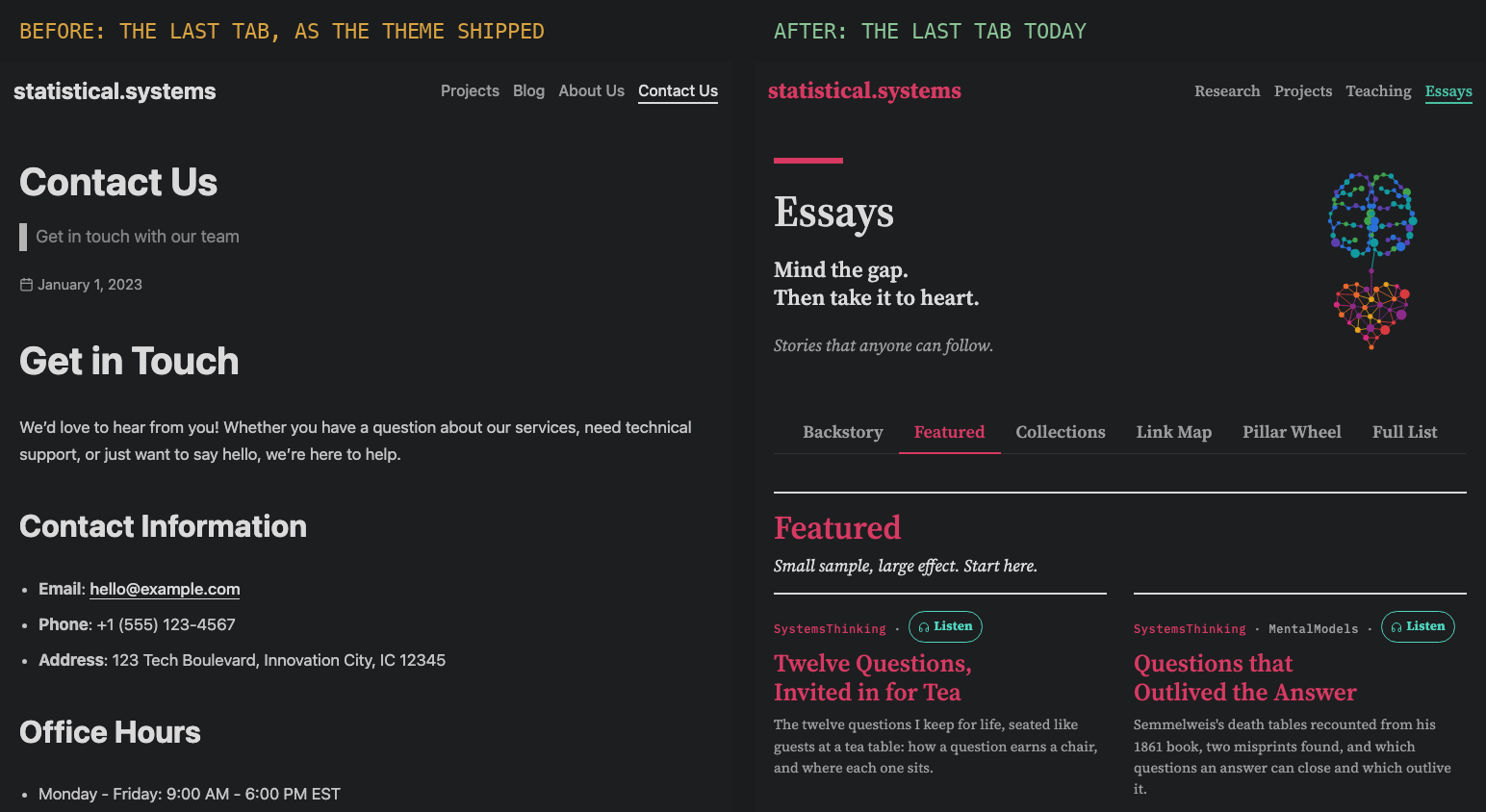
Figure 7. The last tab in the menu as the theme shipped it, Contact Us (left), and today, Essays (right). Everything on the page was swapped; the foundation under it stayed fixed. My own screenshots of this site, before and after.
Most people are handed something finished: a spreadsheet a coworker built before leaving, a relative’s recipe card, a friend’s template for a wedding website. The decision comes before the first change. What does that spreadsheet, card or template run on, and is there a copy of the version that worked? Saving that copy takes five minutes on the first Monday back at work, and the next person to inherit the file starts with a way back. With that copy kept, the original can change, and the way back to it still has a pin on the map.
A Closing Invitation. Directions counted from a fig tree stop working for newcomers once it falls, and so does anything handed over finished with no pin on what it runs on. Three pins hold the next one in place.
- Find the old pin. Before you get up, think of one thing handed to you already working, such as the spreadsheet a coworker left on their last day or the router the landlord set up on move-in day, and notice what it runs on. Who would you ask if it broke and the one who made it were gone?
- Follow the pin back. This month, the next time a dish from a handed-down recipe card is on the stove, prop the card beside the pot and follow it as written, then send a photo of the plate to the aunt who wrote it or the friend who first served it. Which step had yours drifted from?
- Put a pin on it. This Sunday, with the phone already in your hand, take a screenshot of one thing someone else set up for you, such as the budget sheet you shared last month or the book club’s schedule for next week. The soft click is the pin going down. How many earlier versions have you already lost to edits you could not undo?
The fig tree can fall and a new one can grow in its place, and the pin still leads back to the same spot.
Your name goes on whatever you put online. People trust work they can rebuild over work that only looks good. Polish your portfolio all you like, but pin what it runs on and keep the version that worked.

Where This Came From
In the 2000s, a new fig tree of a different species was planted where the old one stood, and in 2004 people still gave directions from the old one. My husband’s part in this piece is described with his permission.
A word on the title. To put a pin on something is the map gesture from the opening: press and hold, so the same ground can always be found again. It is the reverse of the everyday put a pin in it, which means to set a thing aside for later. The point is not to shelve what was handed over, but to mark where it stands.
Intellectual Honesty Note. The quotes from La Nación are my translation from the Spanish. “The part of itself that reads the writing” stands for Hugo’s Markdown engine. The deployment is told in fewer steps than it runs. The version strings pinned in flake.lock are left out of the text, and the Hugo versions in Figure 6 are public releases, not the ones this site runs.
Intellectual Property Note. Nix, Hugo, GitHub, nginx and Squarespace are trademarks of their makers; naming them is not an endorsement by, or affiliation with, any of them. Figure 1 is a public domain photograph from the Library of Congress, the map in Figure 2 is drawn from OpenStreetMap data under the Open Database License, and the photographs in Figures 3 and 4 are from Wikimedia Commons under CC BY 2.5 and CC BY-SA 4.0, and Figure 7 is a pair of screenshots of this site’s own pages, whose old placeholder text includes a made-up email, phone number and address. Apart from those and the two one-line descriptions quoted from the Hugo and Nix websites, nothing here is reproduced from another source.
References
Archivo Nacional de Costa Rica. (1982, August). Fotografía de la esquina conocida como del Higuerón, en San Pedro de Montes de Oca, San José (CR-AN-AH-FO-001635) [Photograph]. https://www.archivodigital.go.cr/index.php/fotografia-de-la-esquina-conocida-como-del-higueron-en-san-pedro-de-montes-de-oca-san-jose
1a57danc3. (2024, December 29). ERROR deprecated: site config key paginate was deprecated in Hugo v0.128.0 and will be removed in Hugo 0.141.0 (Issue #251). GitHub. https://github.com/nanxiaobei/hugo-paper/issues/251
Heidelbach, W. (2004, September 28). Metal movable type [Photograph]. Wikimedia Commons. CC BY 2.5. https://commons.wikimedia.org/wiki/File:Metal_movable_type.jpg

Holmes, R. (2025, March 11). Deploying Hugo in NixOS. paradigmatic.systems. https://paradigmatic.systems/posts/getting-started-with-hugo/
Holmes, R. (2026, July 11). Decoupling My Deployment Model. paradigmatic.systems. https://paradigmatic.systems/posts/decoupling-deployment-model/
Hugo Authors. (n.d.). The world’s fastest framework for building websites. Retrieved October 9, 2026, from https://gohugo.io/
Hugo Authors. (n.d.). Releases [Software releases]. GitHub. Retrieved October 13, 2026, from https://github.com/gohugoio/hugo/releases
Hugo Authors. (2019, November 27). Hugo v0.60.0 [Release notes]. GitHub. https://github.com/gohugoio/hugo/releases/tag/v0.60.0
Jonathan_Griffin. (2019, November 27). Hugo 0.60.0 raw HTML omitted issue [Online forum post]. HUGO Discourse. https://discourse.gohugo.io/t/hugo-0-60-0-raw-html-omitted-issue/22010
Library of Congress. (1880-1900). Two men sitting on roots of enormous ficus tree in Costa Rica [Photograph]. Photographer unknown. Public domain, via the Library of Congress. https://www.loc.gov/pictures/item/2017652270/
Malka, J. (2025, February 1). How reproducible is NixOS? [Conference presentation]. FOSDEM 2025, Brussels, Belgium. https://archive.fosdem.org/2025/schedule/event/fosdem-2025-4430-how-reproducible-is-nixos-/
NixOS Contributors. (n.d.). Nix & NixOS: Declarative builds and deployments. Retrieved October 9, 2026, from https://nixos.org/
No hay antiguo ni nuevo higuerón. (2004, April 28). La Nación. https://www.nacion.com/el-pais/no-hay-antiguo-ni-nuevo-higueron/CVB24V4B5VFRTLGARZ4HHCH5II/story/
OpenStreetMap contributors. (n.d.). El Higuerón de San Pedro [Map node, natural=tree]. Retrieved October 12, 2026, from https://www.openstreetmap.org/
San Pedro de Montes de Oca. (n.d.). In Wikipedia, la enciclopedia libre. Retrieved September 24, 2026, from https://es.wikipedia.org/wiki/San_Pedro_de_Montes_de_Oca
Schiraldi, M. (2012, August 5). Shadowboard [Photograph]. Wikimedia Commons. CC BY-SA 4.0. https://commons.wikimedia.org/wiki/File:Shadowboard-mmschiraldi.jpg
